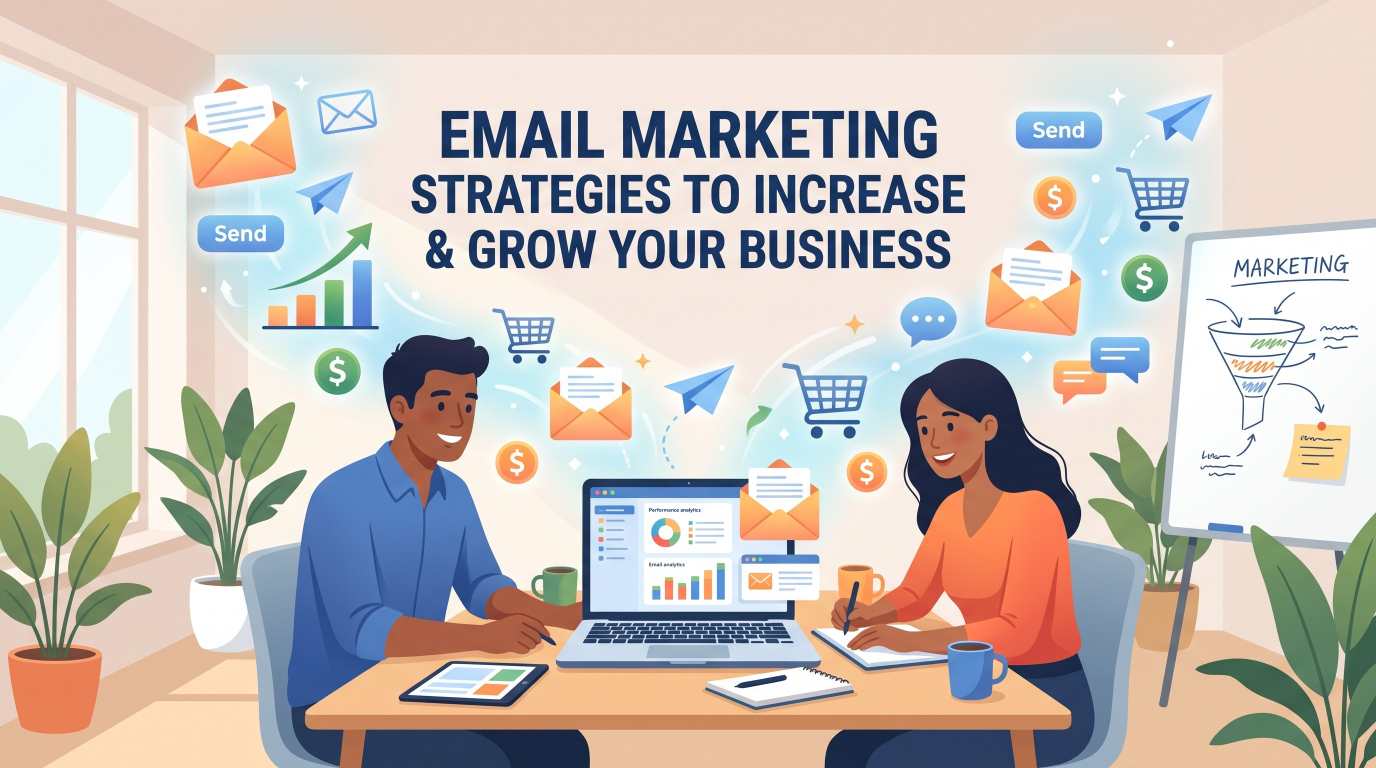
Email Marketing Strategies to Increase Sales and Grow Your Business
Have you ever wondered why top creators and multi-million dollar brands focus so much on their email newsletter?
Think about this for a second.
You spend weeks building followers on Instagram, TikTok, YouTube, or LinkedIn. Then, one day, an algorithm update happens. Suddenly, your posts reach only 5% of the people who chose to follow you. If a platform shuts down or decides you need to pay for reach, your business takes a direct hit.
Social media is rented land. Your email list is property you actually own.
When someone gives you their email address, they give you permission to talk to them directly in their private inbox. No algorithm standing in the middle. No noisy newsfeed distracting them. Just you and a real human being having a 1-on-1 conversation.
In this guide, we are breaking down actionable, proven email marketing strategies to increase sales and grow your business. We will skip the confusing technical jargon. Instead, we will walk step-by-step through how real businesses turn cold subscribers into paying customers every single week.
Grab a cup of coffee, and let's dive in.
Why Email Marketing Still Drives the Highest ROI
Let's start with real numbers. For every $1 you spend on email marketing, the average return is around $36 to $42. That is an ROI (Return on Investment) of over 3,600%.
No other marketing channel reliably matches that number over the long run. Not paid ads, not SEO, and not organic social media.
Why does email work so well?
People check their inbox daily: Most adults check their email first thing in the morning and multiple times during work.
High purchase intent: People visit social media to be entertained. People check email to get updates, read news, solve problems, and review invoices. They are already in a practical, action-oriented mindset.
Personalization at scale: You can send a message that uses someone's name, mentions what product they looked at, and speaks directly to what they care about.
Complete ownership: Even if platforms like Facebook, X, or Instagram change their rules, your subscriber list remains your asset.
Now, let's explore how you can use this engine to generate consistent revenue.
Step 1: Build a Clean, High-Quality Email List (Without Buying Leads)
Before you can sell anything, you need people to talk to.
Here is Rule Number One: Never buy an email list.
Buying lists from brokers damages your sender reputation. When you send emails to people who never asked to hear from you, they mark you as spam. Internet service providers like Gmail and Yahoo notice this immediately. Once they flag your domain, even your real emails will go straight to the spam folder.
You want real people who raised their hand and said, "Yes, I want to hear from you."
How to Create an Irresistible Lead Magnet
People protect their email addresses closely. They will not give it away for a generic button that says "Subscribe to our newsletter." What is in it for them?
You need to offer a fair trade. This trade is called a lead magnet or a free gift.
A great lead magnet solves one specific problem fast. Examples include:
A simple 1-page PDF checklist (e.g., "The 10-Minute Daily SEO Checklist")
A discount code (e.g., "Get 15% off your first order today")
A free template or spreadsheet (e.g., "Monthly Budget Calculator")
A mini video lesson or 5-day email mini-course
Keep it short. If your free gift takes three hours to read, people will download it and never open it. If it gives a quick win in 5 minutes, they will love your brand and trust your advice.
Where to Place Your Signup Forms
Place your signup forms where your audience already spends time:
Header or Hero section: The top of your homepage.
Inside blog posts: A banner or box midway through high-traffic articles.
Exit-Intent popups: A box that only appears when someone is about to close the tab on desktop.
Social media bio links: Use your Instagram or LinkedIn bio to send people straight to your free gift page.
Step 2: Write Welcome Emails That Make an Unforgettable First Impression
When someone joins your list, they are more interested in you right at that moment than they might ever be again.
Welcome emails average open rates above 50% to 60%. Most standard marketing emails get around 20% to 25%. If you do not send an automated welcome message immediately, you are leaving money on the table.
The 3-Part Welcome Email Formula
Here is an easy template you can adapt today:
Subject: Here is your [Name of Lead Magnet] + a quick hello!

Hey [First Name],

Thanks for joining! As promised, here is the link to download your free guide:
[Download Button / Link]

Before you jump in, here is a quick heads up on what to expect from me.

Every [Tuesday/Thursday], I send out practical tips to help you [solve customer problem]. No spam, no fluff—just actionable strategies you can test in 10 minutes.

Quick question: What is the biggest challenge you are facing right now with [Your Industry Topic]?

Hit reply and let me know. I read every message!

Best,
[Your Name]
Why Asking for a Reply Matters
Notice that last line asking them to hit reply?
That is not just friendly; it is a major technical win for email deliverability. When a subscriber replies to your email, Gmail and Outlook mark you as a trusted contact. That simple action keeps your future sales emails out of the "Promotions" tab and puts them directly in the primary inbox.
Step 3: Segment Your Audience for Higher Conversions
Sending the exact same message to everyone on your list is one of the quickest ways to see your unsubscribe numbers climb.
Imagine you run an online shoe store. A customer buys a pair of men's running shoes. Two days later, you send them a newsletter promoting women's high heels. They do not care, they get annoyed, and they click unsubscribe.
That is where segmentation comes in.
Segmentation simply means grouping your subscribers based on who they are or what they do.
Ways to Segment Your List
By purchase history: Separate customers from non-customers. If someone already bought your core product, stop pitching it to them. Pitch them complementary items or ask for a review.
By interests: Let subscribers pick what topics they care about (e.g., Beginner tips vs. Advanced strategies).
By engagement: Group people who open every email versus people who have not opened an email in 90 days.
By location: Great for sending event invites or local offers based on time zones and regional holidays.
When you send relevant emails to smaller, targeted groups, open rates go up, clicks go up, and sales follow naturally.
Step 4: The Core Automated Email Sequences Every Business Needs
If you want your business to make money while you sleep, you need automated email sequences. You set them up once, and they work for you automatically whenever a customer triggers them.
Here are the three most important sequences you should build:
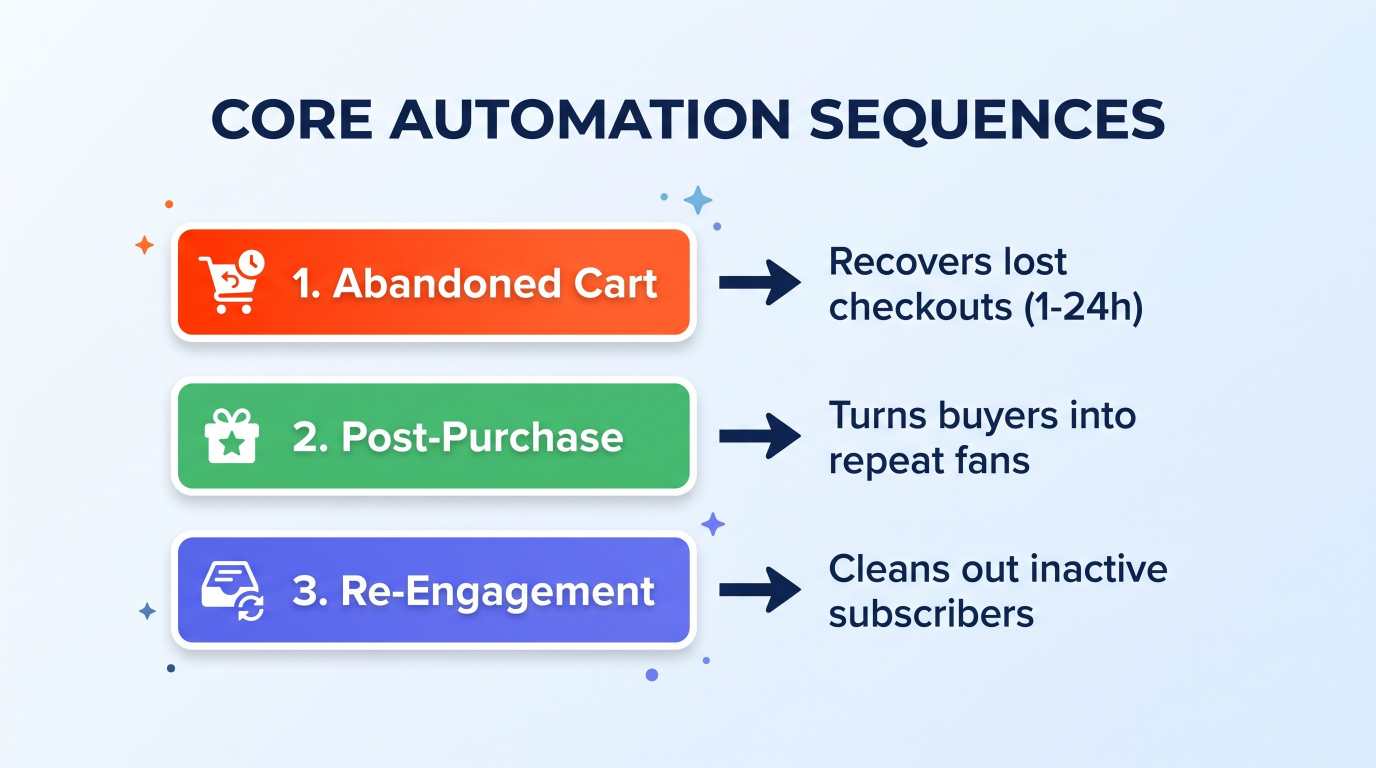
1. The Abandoned Cart Sequence (For E-Commerce and Digital Products)
Nearly 70% of online shoppers add items to a cart and leave without paying. Life gets in the way: a phone rings, dinner is ready, or they got distracted.
A 3-part abandoned cart sequence can easily recover 10% to 15% of those lost sales:
Email 1 (Sent after 1 hour): Helpful reminder. "Did you leave something behind? Your cart is saved."
Email 2 (Sent after 24 hours): Address objections. Mention customer reviews, return policies, or free shipping.
Email 3 (Sent after 48 hours): Create urgency or offer a small discount code that expires in 12 hours.
2. The Post-Purchase Follow-Up
Most brands disappear the moment they get paid. That is a mistake. The easiest person to sell to is someone who just bought from you and had a great experience.
Send an email after purchase that includes:
Clear instructions on how to use the product or service.
Answers to common setup questions.
A request for feedback or a product review after 7–10 days.
A special thank-you discount for their next order.
3. The Re-Engagement ("Sunset") Campaign
Over time, some subscribers will stop opening your emails. That is normal. However, keeping inactive people on your list hurts your deliverability rates and increases your monthly software bill.
Every six months, run a clean-up campaign:
Filter everyone who hasn't opened an email in the last 90 to 120 days.
Send a short, honest email with a subject like: "Should I remove you from my list?"
Give them a link to click if they want to stay.
If they do not respond within 7 days, unsubscribe them.
A smaller, engaged list of 5,000 active fans is far more profitable than a dead list of 50,000 people who never open your messages.
Step 5: How to Write Subject Lines That People Actually Click
Your subject line is the gatekeeper. It does not matter how brilliant your offer is inside the email if nobody clicks to open it.
Here are proven ways to write subject lines that drive high open rates:
1. Keep It Short and Clear
Over 60% of emails are opened on mobile phones. Long subject lines get cut off on smaller screens. Aim for 4 to 7 words (around 30 to 45 characters).
2. Use the "Curiosity + Benefit" Gap
Give readers a reason to open without writing cheesy clickbait.
Good: "The 1 tweak that doubled our sales this month"
Avoid: "You won't believe what happened next!!!"
3. Test Plain Text & Casual Tones
Writing like a real human being consistently beats looking like a corporate marketing flyer.
Corporate style: "Monthly Newsletter Volume 24: New Product Announcements Inside"
Human style: "Quick question about your marketing, John"
Notice the difference? The second one looks like an email from a colleague or friend.
Step 6: Popular Email Platforms vs. When to Build a Custom Tool
When businesses start their email journey, they usually look for ready-made email service providers.
Common Commercial Platforms
Mailchimp: One of the most famous tools for beginners. It offers simple drag-and-drop templates and basic automations. However, pricing climbs quickly as your contact list expands.
Klaviyo: Heavily used by e-commerce brands for deep Shopify integration and behavioral tracking. It is powerful, but can feel complex and expensive for growing teams.
ConvertKit (Kit): Popular among bloggers, podcasters, and course creators who prefer simple, text-focused newsletters.
ActiveCampaign: Known for advanced CRM automation rules, but comes with a steeper learning curve.
The Problem With Standard Platforms as You Scale
Off-the-shelf software works well at first. But as your business grows past tens of thousands of subscribers, common limitations emerge:
Challenge | What Happens With Generic Tools | What Happens With Custom Solutions |
Monthly Costs | Tiered pricing jumps significantly as your contact list grows, regardless of how often you send. | Fixed hosting and infrastructure costs give you predictable margins at high volume. |
Shared IP Reputation | Your emails share sending pools with thousands of other users. If they send spam, your deliverability takes a hit. | Dedicated IPs and custom routing protect your sender score and keep your emails in the primary inbox. |
Feature Limitations | You are locked into their predefined dashboard, rigid templates, and limited webhook options. | Workflows match your exact internal database, custom billing systems, and unique user journeys. |
Data Privacy & Control | Your customer data lives on third-party servers governed by their terms and privacy policies. | Complete ownership and control of user records, meeting strict compliance requirements. |
Looking for More Power? Explore Our Custom Email Marketing Tools
If you are tired of paying thousands of dollars each month in platform fees, or if your business needs tailored database integrations that standard SaaS tools cannot handle, off-the-shelf options might be holding you back.
We develop custom email marketing tools and tailored automation engines built specifically for your business workflow.
With a custom email platform, you get:
Full ownership of your subscriber data and mailing infrastructure.
Zero per-subscriber penalty pricing as your audience scales into the hundreds of thousands.
Custom internal workflows, bespoke analytics, and automated triggers tied straight to your proprietary software or store.
Dedicated deliverability configurations fine-tuned for your exact domain.
Ready to stop renting your marketing software? Contact our team today to get a custom email marketing solution built for your business.
Step 7: A/B Testing: The Secret to Continuous Improvement
Never guess what your audience likes when you can test it directly.
A/B testing (split testing) means sending one variation of an email to 50% of a sample audience, and another variation to the other 50%. The version that performs best gets sent to the rest of your list.
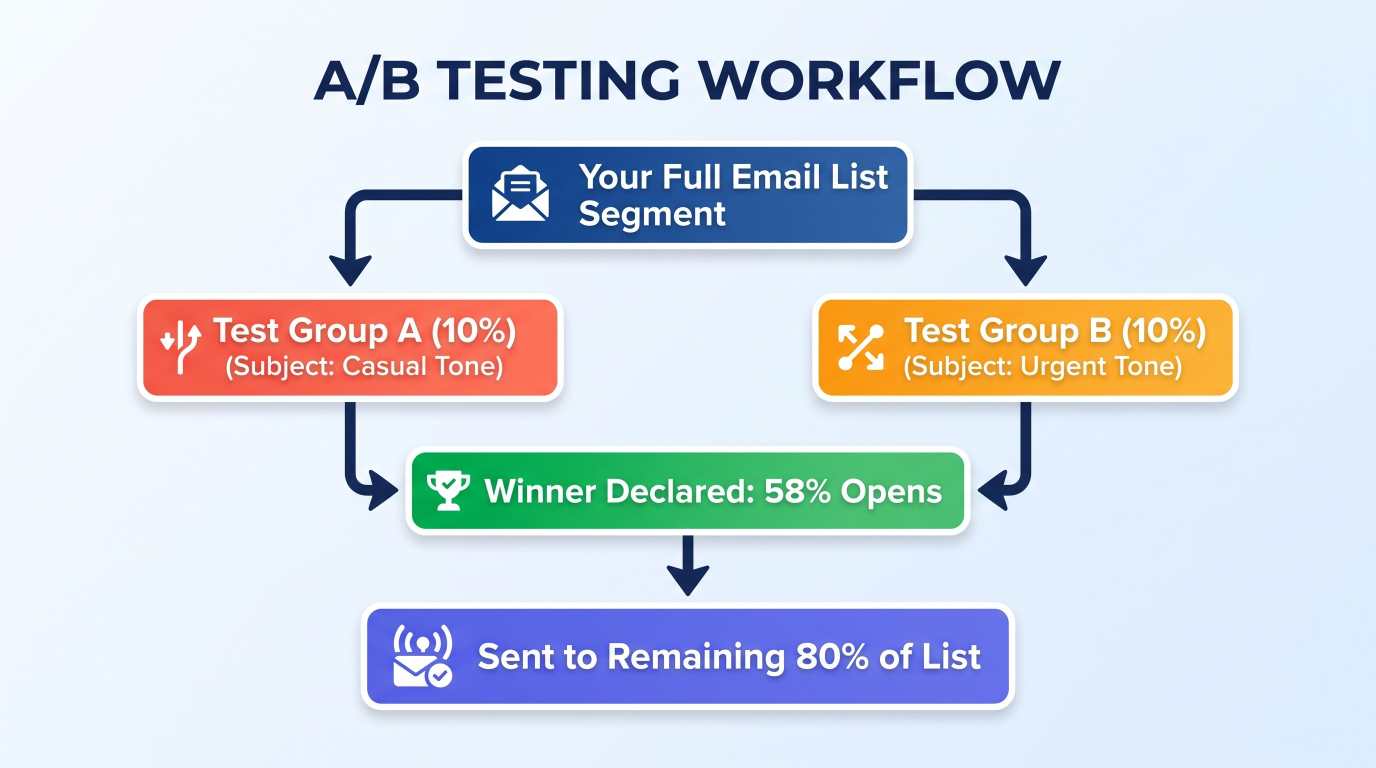
What You Should Test First
Subject Lines: Test a question vs. a statement. Test using an emoji vs. no emoji.
Call-to-Action (CTA) Buttons: Test a text link versus a bright button. Test the words on the button: "Get Started Now" vs. "Claim Your 20% Discount".
Send Times: Test morning (8:00 AM) versus evening (7:00 PM). See when your audience is most likely to click and buy.
Length of Content: Test a short, punchy 150-word email against an in-depth story-based 600-word email.
Pro tip: Only test one variable at a time. If you change both the subject line and the button color in the same test, you will not know which change caused the improvement.
Step 8: Keep Your Deliverability High (Stay Out of the Spam Box)
Getting your emails delivered safely into the inbox requires basic technical hygiene. If your emails land in spam, your sales will stall.
Here is a simple checklist to protect your sender reputation:
1. Set Up Your Domain Authentication Records
Internet service providers need to verify that your emails actually come from you, not an impersonator. You need three simple DNS records configured on your domain:
SPF (Sender Policy Framework): Lists the servers allowed to send email from your domain name.
DKIM (DomainKeys Identified Mail): Adds a digital signature proving the email was not modified in transit.
DMARC (Domain-based Message Authentication): Tells providers what to do if an email fails SPF or DKIM checks.
Most domain registrars and email providers have 5-minute setup guides to help you add these TXT records.
2. Make Unsubscribing Easy
It sounds counterintuitive, but having an easy-to-find unsubscribe button protects your business.
If someone cannot find the unsubscribe link at the bottom of your email, they will hit the "Report Spam" button instead. Spam complaints damage your domain reputation far more than clean unsubscribes do. Let people leave gracefully if your content is no longer a fit for them.
3. Write Clean Content Without Banned or Overhyped Words
Avoid all-caps subject lines like: "FREE CASH RIGHT NOW OPEN IMMEDIATELY!!!"
Using excessive dollar signs, exclamation marks, and exaggerated promises triggers automated spam filters. Write like a normal person writing to a friend, and your deliverability will remain healthy.
Summary: Your 30-Day Email Marketing Action Plan
To put these strategies into practice, here is a simple plan for the next four weeks:
Week 1: Foundations. Pick your platform (or talk to our team about developing a custom system). Set up your SPF, DKIM, and DMARC records to protect deliverability.
Week 2: The Lead Magnet. Create a helpful 1-page PDF checklist or quick resource. Add a signup form to your website's header and exit popups.
Week 3: The Welcome Sequence. Write a 3-part automated welcome series that introduces your story, delivers value, and asks new subscribers for a reply.
Week 4: Consistency & Optimization. Send one thoughtful, value-packed newsletter per week. Run an A/B test on your subject line, check your open rates, and refine your approach.
Email marketing does not have to feel overwhelming. By focusing on helpful conversations, audience segmentation, and automated systems, you will build a dependable sales channel that grows your business month after month.
Frequently Asked Questions (FAQ)
How often should I send marketing emails to my list?
For most businesses, sending 1 to 2 emails per week strikes the right balance. It is frequent enough to keep your brand top-of-mind, but not so frequent that your audience feels spammed. The key is consistency: pick a schedule (like every Tuesday morning) and stick to it.
What is a good email open rate?
Across most industries, an open rate between 20% and 30% is considered healthy. If your open rate is below 15%, focus on cleaning unengaged subscribers from your list and testing better subject lines.
What is the difference between a broadcast email and an automated sequence?
A broadcast email is a one-time message sent to your list manually at a specific time (such as a weekly newsletter, a holiday sale announcement, or product launch news).
An automated sequence is triggered by a user's behavior (such as joining your list, abandoning a checkout cart, or buying a product) and runs on autopilot in the background 24/7.
Why should I consider a custom email marketing tool over Mailchimp?
While tools like Mailchimp are great for getting started, they charge increasingly high monthly fees as your subscriber base grows. A custom-built tool gives you fixed infrastructure costs, total data ownership, bespoke automations that fit your exact workflow, and complete control over your sender reputation.
Ready to grow your business?
Contact us today to find out how our strategies can scale your operations to the next level.
Contact Us