Cloud Computing Explained for Business Owners: The Simple Guide to Growing Your Company
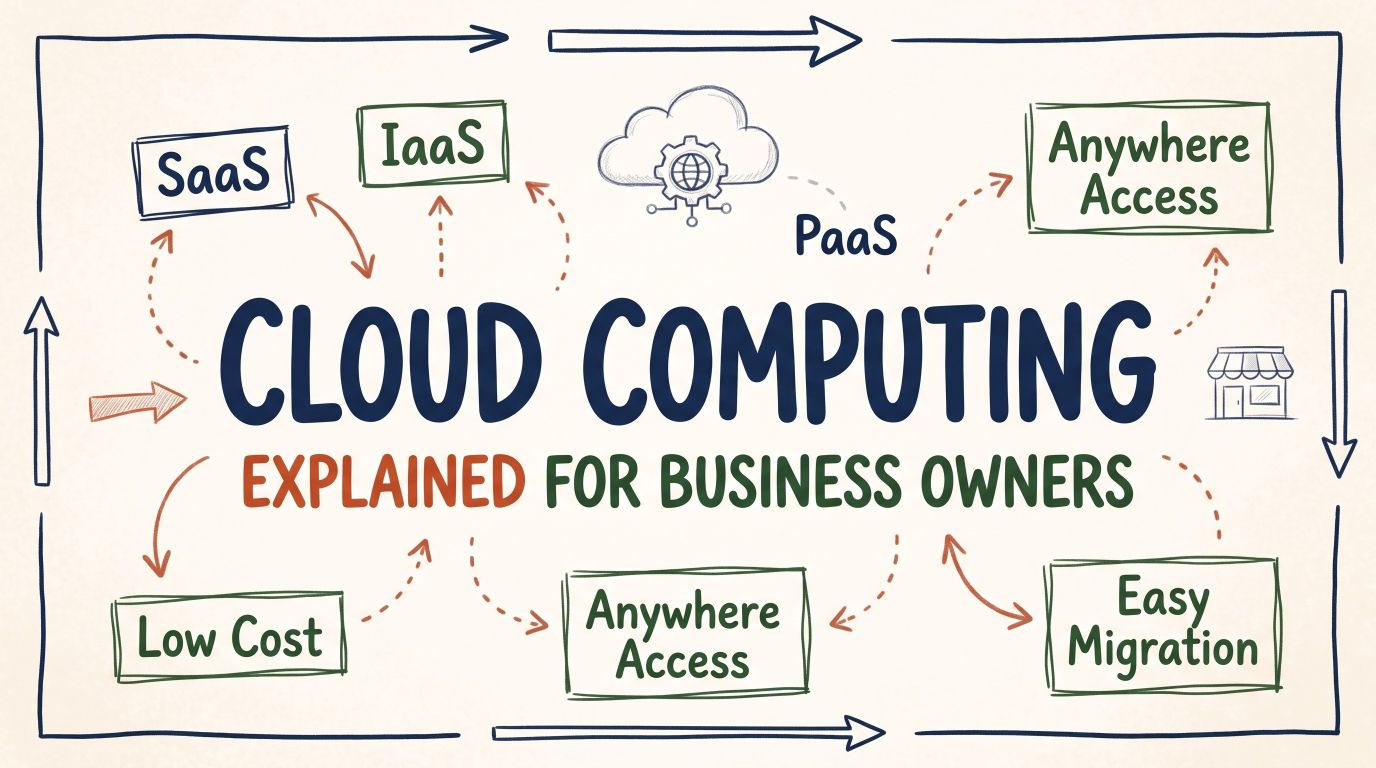
Introduction: Let’s Demystify the Cloud Once and for All
If you run a business today, you have probably heard people say: "You need to move everything to the cloud."
Your tech advisor mentions it. Your software providers talk about it. Every new business tool seems to run on it.
Yet, when you ask someone to explain it in plain terms, they usually hit you with confusing words like "virtualization," "distributed server nodes," or "hybrid infrastructure."
That does not help you. You are a business owner. You care about three practical things:
Does it save money?
Does it make work easier for my team?
Does it keep my business data safe?
In this guide, we are going to break down cloud computing explained for business owners in the simplest, most conversational way possible. Think of this like sitting down over a cup of coffee to talk about how modern tools can take weight off your shoulders. No heavy jargon. No robotic talk. Just practical facts you can use to make smart business decisions today.
What Is Cloud Computing in Simple Words?
Let’s start with the most basic question: What is the cloud?
The cloud is not something floating in the sky. It is simply a collection of powerful computers (called servers) located in high-security facilities around the world, connected to the internet.
When you use the cloud, you are renting space and processing power on those computers instead of buying your own hardware.
The Best Way to Picture It: The Power Grid
Think about electricity in your office or shop.
When you plug in a laptop or turn on the lights, you do not build a generator in your basement. You do not hire a team of electrical engineers to watch over power lines behind your desk.
Instead, a power company handles the heavy equipment, maintenance, and wiring. You simply plug in, flip the switch, use what you need, and pay an electric bill at the end of the month.
The cloud works the exact same way for digital tools:
Instead of buying expensive hardware boxes to put in a back room, you tap into computing power over the internet.
Instead of hiring a full-time team to fix broken hard drives, a dedicated service provider handles updates and repairs.
You only pay for what your business actually uses.
Why You Are Probably Already Using It Without Realizing
Here is a quick secret: if you run any modern business, you are already using cloud technology every single day.
Take a look at your daily routine:
Email: If you check messages through Gmail, Outlook 365, or Yahoo, your emails live in the cloud. If your laptop falls in the ocean tomorrow, your emails are still safe because they are not stored on your physical laptop.
Banking: When you log into your business bank account from your phone, you are looking at cloud systems.
Streaming & Media: When you watch a training video on YouTube or listen to a playlist on Spotify, those files stream from the cloud.
Daily Tools: If you use tools like Google Docs, QuickBooks Online, Shopify, or Dropbox, you are already a cloud user.
Understanding this removes the fear. Moving to the cloud is not a leap into the unknown. It is simply expanding the digital tools you already trust to handle more of your everyday operations.
The 3 Types of Cloud Services (Made Extremely Simple)
In tech circles, people throw around confusing acronyms like SaaS, PaaS, and IaaS. Let’s translate these into plain English using an everyday analogy: ordering a meal.
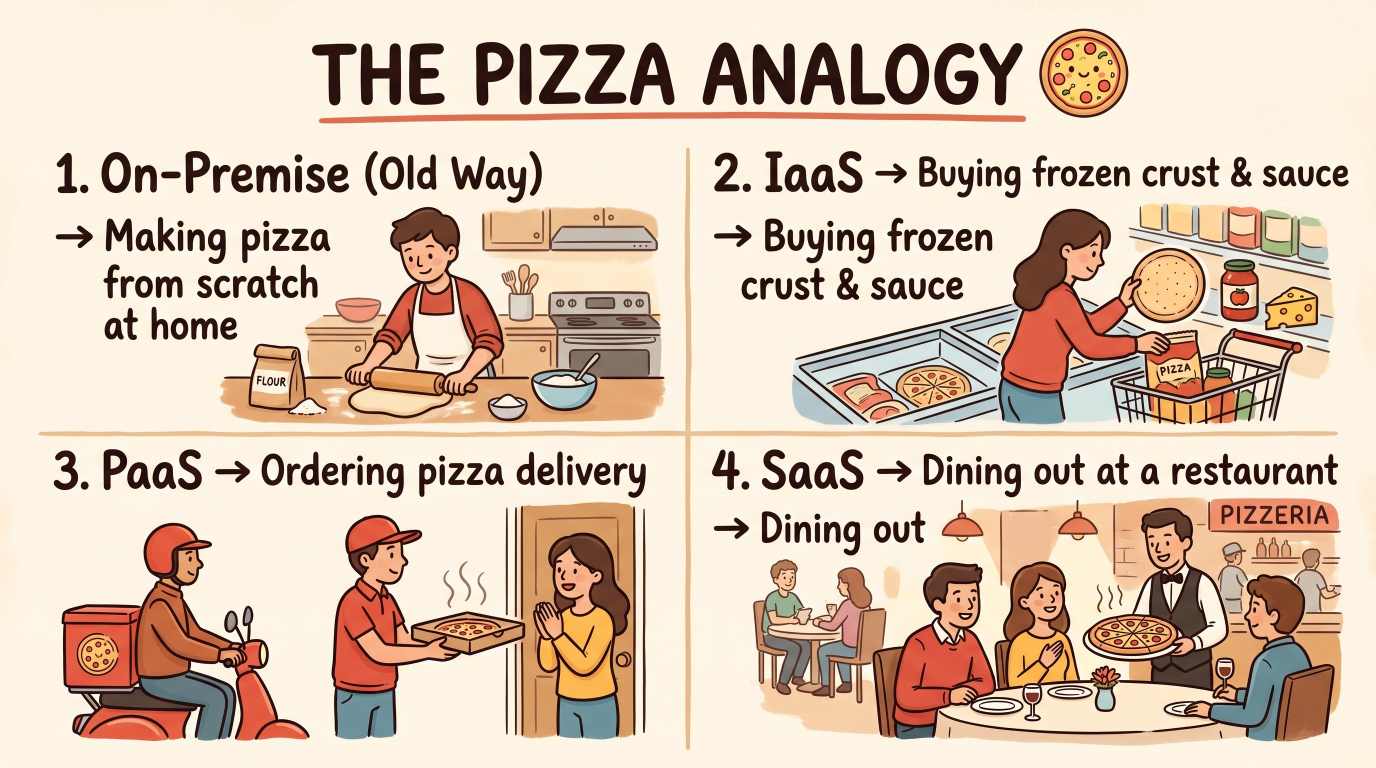
1. Software as a Service (SaaS): The Complete Meal
This is what 90% of business owners use every day.
With SaaS, a company builds an application, hosts it, fixes bugs, and keeps it running. You simply pay a monthly fee, log in through your web browser or phone, and get to work.
Real-world examples: Google Workspace, Microsoft 365, Slack, Salesforce, Zoom.
What you manage: Just your own passwords and documents. The software maker handles everything else.
2. Infrastructure as a Service (IaaS): Renting the Kitchen
Imagine you have custom business software, but you do not want to buy physical server racks to put in an office closet.
With IaaS, you rent raw computing power, storage space, and network lines from large providers like Amazon Web Services (AWS), Google Cloud, or Microsoft Azure.
Real-world analogy: You rent an empty warehouse or kitchen space. You bring your own recipes and tools, but you do not have to buy the building or pay property taxes.
Best for: Companies with their own IT staff or specialized software needs.
3. Platform as a Service (PaaS): The Semi-Prepared Kitchen
PaaS sits right in the middle. It gives software developers a ready-to-go environment where they can build custom apps without worrying about configuring operating systems or network cables.
Real-world analogy: You rent a commercial kitchen that already has ovens, sinks, and gas lines installed. You just walk in and cook.
Best for: Businesses that create their own custom apps for clients or internal staff.
The Biggest Benefits for Small and Medium Businesses
Why are millions of entrepreneurs shifting their operations? It is not just about keeping up with trends. It directly impacts your profit margins and daily peace of mind.
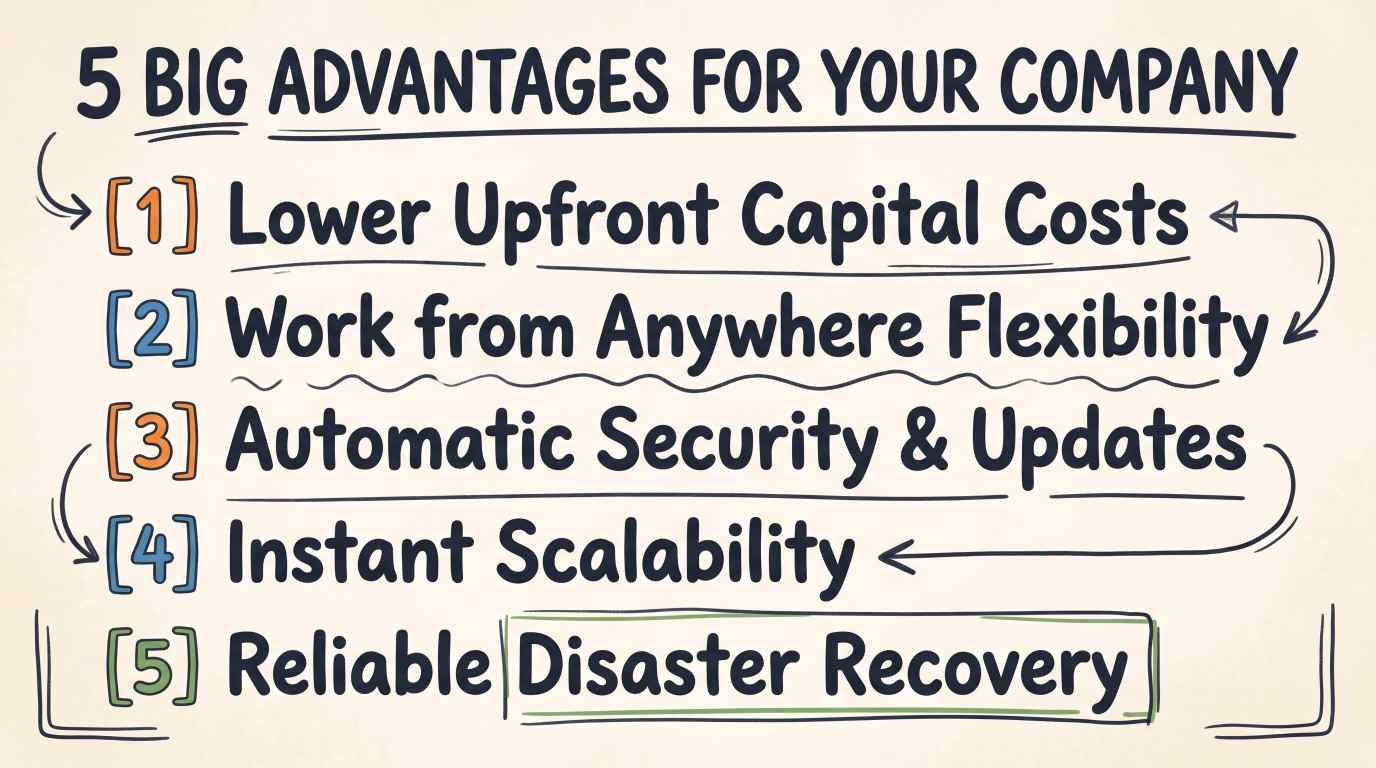
1. Goodbye, Huge Upfront Hardware Costs
In the past, starting a company or opening a new branch meant spending thousands of dollars on physical servers, cooling units, backup batteries, and setup fees.
If your business grew, you had to buy another expensive box. If business slowed down, that expensive equipment sat in a corner collecting dust.
With cloud solutions:
You shift from Capital Expenses (CapEx) to Operating Expenses (OpEx).
Instead of spending $10,000 on day one, you might pay $100 per month.
This keeps cash inside your business, where you need it most for marketing, hiring, and inventory.
2. Work from Anywhere, on Any Device
The way the world works has changed permanently. Your team might work from the main office, from home, or while traveling to meet clients.
When your files and business tools live in the cloud:
A team member can review an invoice from a tablet at an airport.
A sales rep can update customer notes right after a meeting from their phone.
If an employee’s laptop breaks, they can grab a spare machine, sign in, and be productive in five minutes without losing a single document.
3. Effortless Scaling When Your Business Grows
Imagine you run an online retail store. During normal months, you get 5,000 visitors a day. But during the holiday season or after a viral social media campaign, you suddenly get 100,000 visitors in an afternoon.
The old way: Your physical website server gets overloaded, crashes, and customers leave angry.
The cloud way: Your cloud provider automatically adds more computing power to handle the rush. When the rush ends, the system scales back down, and your bill adjusts accordingly.
You never have to guess how big your servers need to be three years from now. The infrastructure grows alongside your revenue.
4. Enterprise-Grade Security on a Small Business Budget
Many business owners worry: "Is my data safe if it is not inside my building?"
Ask yourself an honest question: Can your local office match the security budget of companies like Microsoft, Google, or Amazon?
Top cloud providers spend billions of dollars each year on digital security. They hire elite cybersecurity experts, run 24/7 surveillance on their data centers, and use advanced encryption that banks rely on.
For a solo entrepreneur or mid-sized business, accessing that level of protection for a small monthly fee is an incredible advantage.
5. Simple, Automatic Backups and Disaster Recovery
Accidents happen. Office pipes burst, power surges fry motherboards, and coffee cups spill across keyboards. Worse, physical break-ins can leave your office stripped of machines.
If your files live only on local office computers, an incident like that can wipe out your business records overnight.
Cloud storage automatically backs up your files across multiple geographic locations. If lightning strikes your office building, your data remains untouched and accessible from any working device.
💡 Quick Recommendation for Business Owners:
If you are looking for an affordable, high-speed way to get your company's website or online store onto cloud infrastructure without tech headaches, Hostinger Cloud Hosting is one of the easiest solutions available. You get dedicated cloud resources, automated daily backups, 24/7 support, and a simple dashboard anyone can use—starting at a fraction of typical enterprise costs.
👉 Explore Hostinger Cloud Hosting Plans for Your Business (Exclusive discount applied at checkout)
How to Choose the Right Cloud Setup: Public, Private, or Hybrid?
When you explore cloud solutions, you will hear three terms describing where data is stored. Let’s clarify what they mean so you can pick the right path for your workflow.
Cloud Model | Simple Analogy | Best Suited For | Key Advantage |
Public Cloud | Living in a modern apartment building | Most small-to-midsize businesses | Low cost, zero maintenance, instant setup |
Private Cloud | Owning a gated single-family home | Large banks, government, healthcare | Total isolated control over sensitive data |
Hybrid Cloud | Owning a home while renting a city condo | Companies with strict compliance rules | Balances deep privacy with day-to-day flexibility |
Public Cloud: Fast, Economical, and Easy
In a public cloud, a provider delivers computing services to many companies over the internet. You share the overall physical infrastructure with other clients, but your data is completely separated, locked, and invisible to everyone else (just like living in your own private apartment inside a large residential building).
This is the most popular, cost-effective choice for everyday business needs.
Private Cloud: Dedicated Exclusivity
A private cloud is dedicated entirely to one single organization. No one else shares the physical hardware. It can be hosted on-site or managed by an outside vendor.
This model is typically chosen by enterprise corporations, national banks, or hospitals that must follow strict government regulations regarding data storage.
Hybrid Cloud: The Best of Both Worlds
A hybrid setup connects your private infrastructure with a public cloud. For example, a company might keep sensitive customer records on a private server, while using public cloud apps to run daily email, marketing, and team chat.
Common Myths That Stop Business Owners (Busted)
Let’s clear up a few misunderstandings that frequently cause hesitation among business founders.
Myth 1: "The Cloud Is Only for Big Tech Companies"
Ten years ago, large tech firms dominated cloud adoption. Today, the opposite is true. The cloud is the great equalizer. It gives a two-person startup in a garage access to the exact same software, storage, and processing tools used by Fortune 500 corporations.
Myth 2: "If the Internet Goes Down, My Whole Business Stops"
While you do need an internet connection to sync changes, many modern cloud applications have powerful offline modes. You can continue writing documents, checking calendar appointments, or taking orders locally. The moment your connection returns, the system syncs your work automatically.
Additionally, mobile hotspots and 5G connections mean you can stay connected almost anywhere if your office internet has a temporary hiccup.
Myth 3: "It Is Always More Expensive Over Time"
Some owners calculate: "If I pay $30 a month per user for five years, isn't that more than buying a single software CD once?"
That math ignores the hidden costs of running old-school hardware:
The cost of replacing dead drives every 3 years.
The electricity bills required to run servers and cooling fans 24 hours a day.
Emergency IT call-out fees when a server breaks on a weekend.
The cost of lost work hours during system downtime.
When you add up total ownership expenses, cloud systems usually come out ahead while saving hours of management headaches.
Step-by-Step: How to Move Your Business to the Cloud Safely
You do not need to overhaul your entire business in a single weekend. A smooth transition happens in clear, comfortable stages.
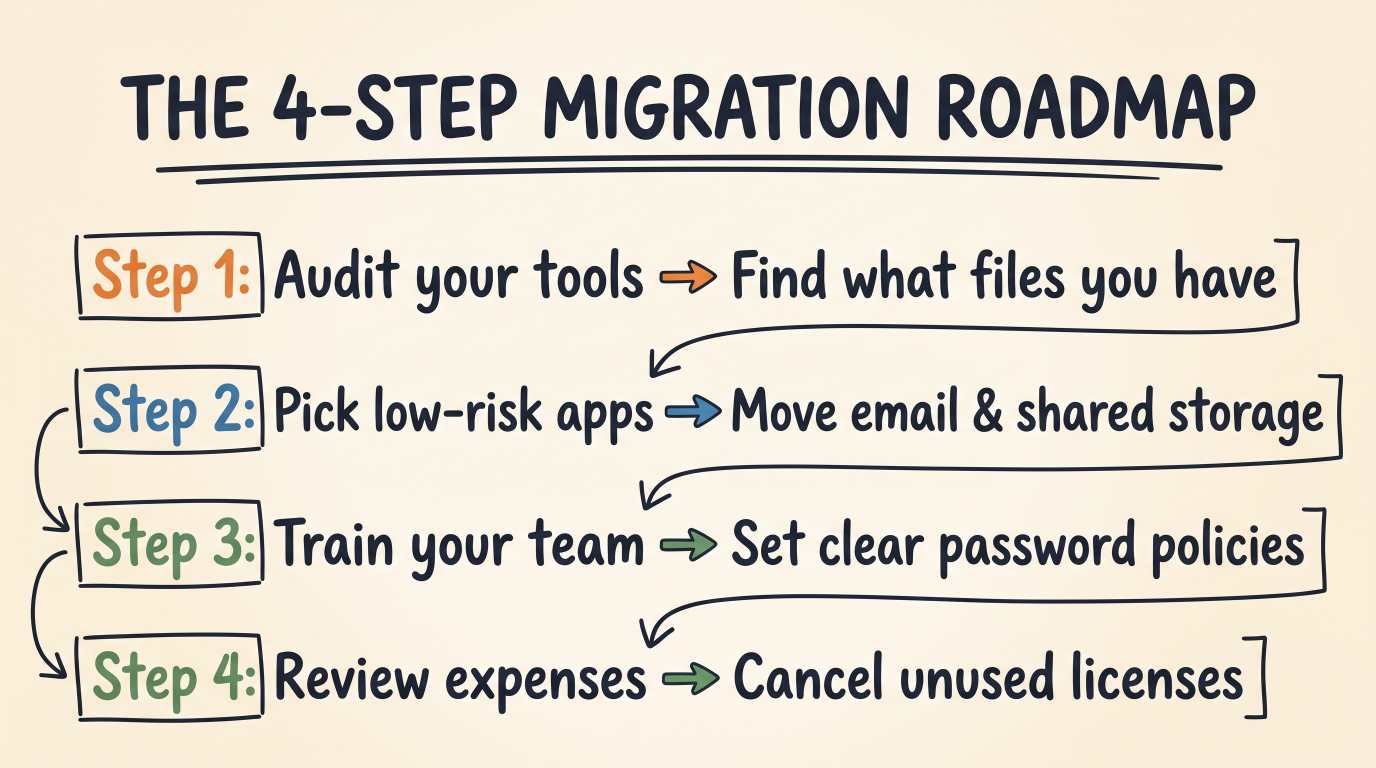
Step 1: Take Inventory of Your Current Workflow
Write down the tools and systems your team uses every week:
Where do your financial spreadsheets live?
How do you track customer orders and invoices?
How does your team chat and exchange files?
Notice which files are trapped on individual computers. Those are your primary candidates for cloud migration.
Step 2: Start with the Easiest Wins
Do not try to move everything at once. Start with daily communication and storage tools:
Move file storage to Google Drive, Microsoft OneDrive, or Dropbox.
Switch legacy desktop email software to a secure cloud platform.
Move customer lists from desktop spreadsheets to a simple cloud CRM.
These quick wins show your team how convenient shared access is without disrupting core daily work.
Step 3: Set Clear Security Habits
Cloud platforms provide top-tier security, but your team must use the front door properly. Ensure everyone follows basic digital hygiene:
Turn on Two-Factor Authentication (2FA): This simple step requires a quick phone code when signing in, stopping the majority of unauthorized login attempts.
Use Password Managers: Encourage team members to avoid weak, repeated passwords.
Manage Permissions: Only give staff access to the specific folders and records they need to do their jobs.
Step 4: Review Your Subscriptions Regularly
One habit to avoid is "subscription creep." When signing up for cloud tools is easy, teams sometimes add apps they stop using three months later.
Every quarter, take ten minutes to look over software charges. Remove licenses for departed staff and cancel tools your team no longer opens. This keeps your overhead lean and organized.
What to Look for When Choosing a Cloud Provider
Before you sign up with any service provider or platform, check these four fundamental boxes:
Guaranteed Uptime: Look for an uptime service agreement of at least 99.9%. This means their servers are virtually never down.
Easy Data Export: Make sure the provider allows you to download your records easily whenever you want. You should always own your data.
Responsive Customer Support: When you have an operational issue, you want fast access to phone, chat, or ticket support.
Simple User Permissions: You should be able to add or remove team members with a few clicks from a clear admin panel.
Frequently Asked Questions (FAQ)
What happens to my data if a cloud company goes out of business?
Reputable, mainstream cloud companies have contractual data recovery policies and give ample warning before changes occur. Furthermore, business owners can easily run regular off-site exports to ensure an independent copy of records is always archived safely.
Can my staff collaborate on the same file at the same time?
Yes. Real-time collaboration is one of the strongest features of cloud software. Multiple team members can open the same document, balance sheet, or presentation, see each other's edits live, and leave comments without emailing conflicting versions back and forth.
Do I need to hire a full-time IT expert to manage cloud tools?
For standard cloud software like workspace tools, bookkeeping, and file sharing, no. Modern interfaces are built for everyday business managers. You only need dedicated IT specialists if you are building custom enterprise apps or managing large, complex server fleets.
Final Thoughts: Taking the Next Step
Understanding cloud computing explained for business owners does not require an engineering background.
At its core, the cloud is simply a modern utility. It takes the burden of managing computer hardware, maintenance, and complex security off your shoulders, letting you focus on what truly matters: serving your customers, supporting your staff, and expanding your company.
Take a look at your current office operations. Pick one manual, hardware-locked task today, move it to a trusted cloud solution, and experience how much smoother your business can run.
Ready to grow your business?
Contact us today to find out how our strategies can scale your operations to the next level.
Contact Us